Use renovate to keep dependencies up to date
Renovate is a tool for automating dependency updates. It is used to: - Automatically update the uv lock file and automerge if tests pass - Update any dependencies in the Dockerfile - Update the versions of any GitHub actions not manager by the python-copier-template
Install the Renovate GitHub app
The renovate app will: - Create weekly PRs to update the lockfile to the latest versions, automerging if tests pass - Create PRs for other dependencies whenever they are released, but not automerge
If your repo is hosted in an org where the Renovate GitHub app is already installed, then you don't need to do anything.
If your repo is in an org where the Renovate GitHub app is not installed, then follow these steps to install it on the org:
- Visit https://github.com/apps/renovate
- Click
Configure - Select the org your repo is hosted in
- Select
All repositoriesand clickInstall - Select
Renovate Onlyas the product - Select
Scan onlyas the mode - Click
Finish - Click
Settings - Select the
Dependenciestab - Uncheck
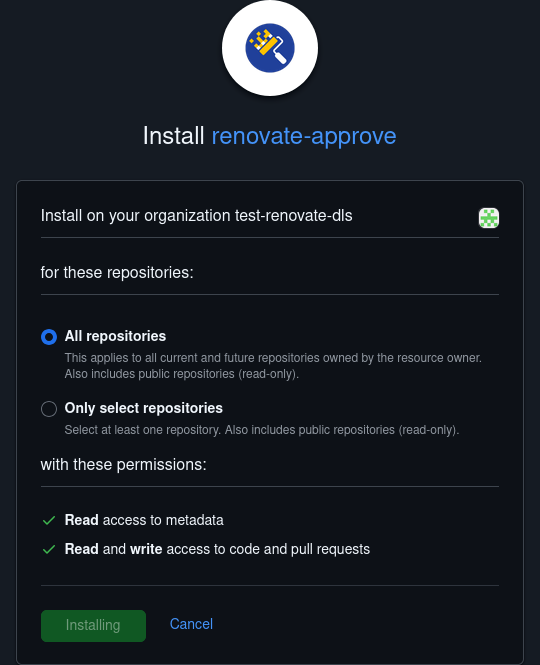
Silent mode, uncheckCreate onboarding PRs, and clickSave - Visit https://github.com/apps/renovate-approve
- Click
Configure - Select the org your repo is hosted in
- Select
All repositoriesand clickInstall
Renovate will now run periodically to check for updates.
Pin the dependency dashboard issue
Renovate will create a dependency dashboard when it first runs, this is the way you interact with the bot, requesting it to re-run. It is recommended that you pin this issue to your repo so you can find it easily. Select Pin issue in the right hand bar of the issue to do this.